
Browser Extension
Capture memories and thread backups from supported web AI chat platforms with the Nowledge Mem Exchange extension.
Nowledge Mem Exchange captures memories and thread backups from supported web AI chat platforms. It runs beside your conversations in Chrome, Edge, Arc, and Firefox using the browser's native side panel or sidebar.
Your first success state
Open one supported chat, open the side panel, then do exactly one thing: auto-capture one useful insight, manually distill one conversation, or back up one thread. When that result appears in Mem, the extension path is working.
Firefox support
Firefox uses its native sidebar. The same capture, Manual Distill, and Thread Backup workflows work there. Browse Now browser control is separate and still requires Chrome, Edge, Arc, or another Chromium browser.
Smart Distill
The extension now treats a conversation as something it can inspect intelligently, not just export blindly. Auto-Capture and Manual Distill both read the live thread selectively, check what already exists in Mem, and then decide whether to create or update memories.
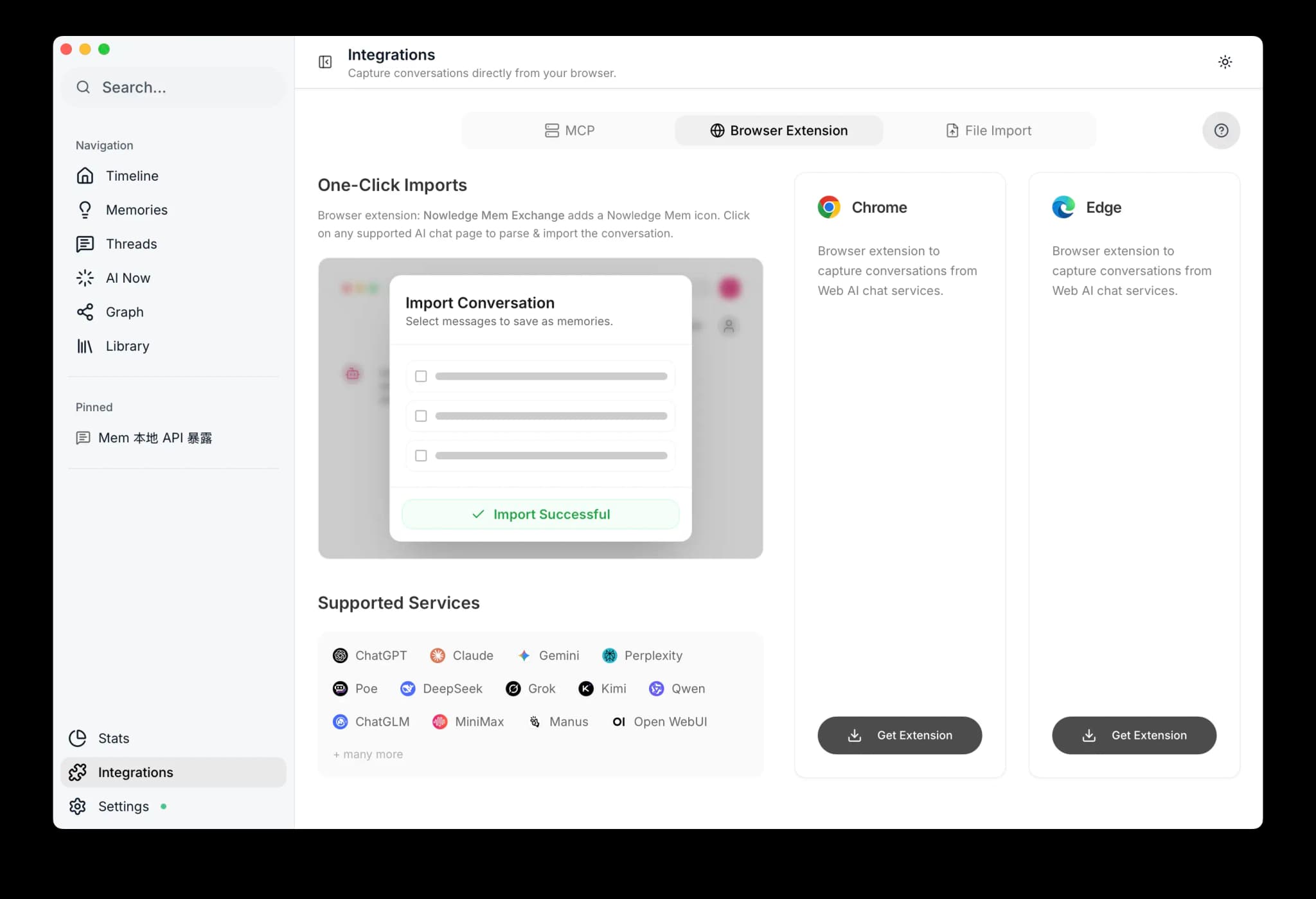
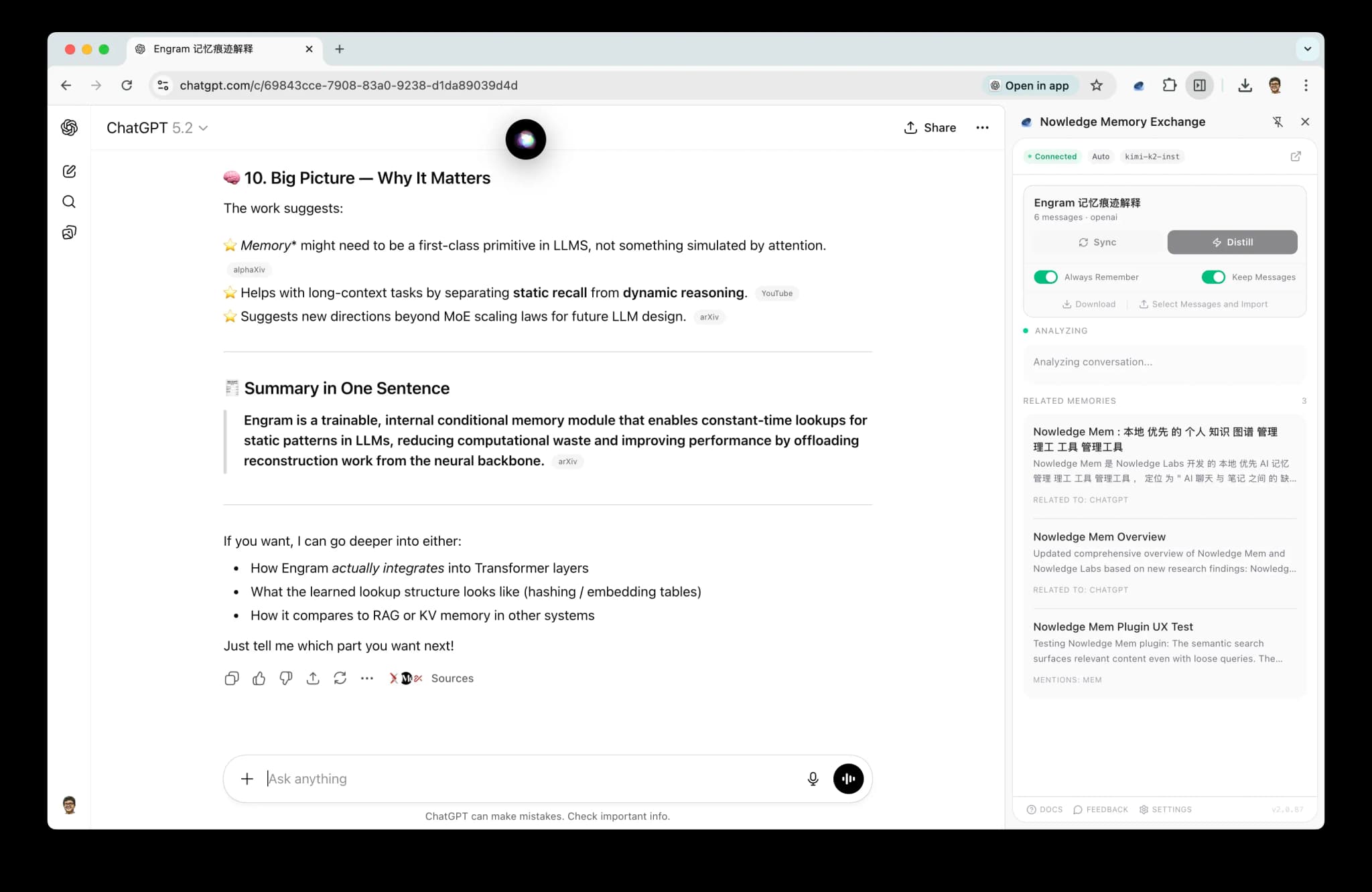
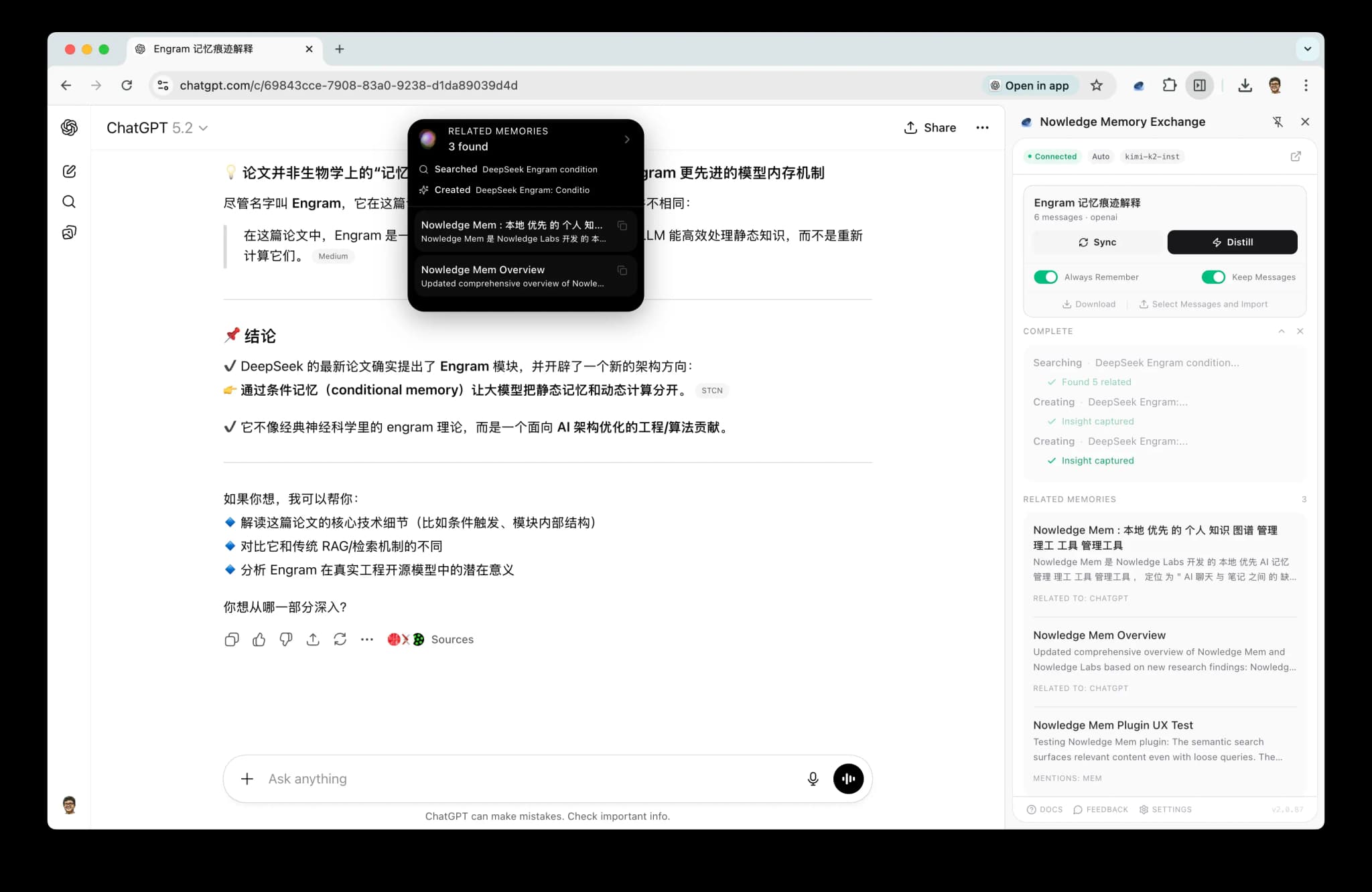
Three Ways to Capture
| Mode | How it works | When to use |
|---|---|---|
| Auto-Capture | Monitors your conversations and autonomously saves valuable insights | Set it and forget it. The extension decides what's worth remembering |
| Manual Distill | You trigger capture on a conversation you want to save | When you know a conversation contains something important |
| Thread Backup | Imports the full conversation as a thread, with incremental dedup | Archive entire conversations for later distillation in the app |
Auto-Capture
When enabled, the extension watches the live conversation and applies a high bar before saving anything:
- Refined conclusions: decisions, plans, finalized approaches
- Important discoveries: breakthroughs, key findings
- Knowledge explorations: deep dives, research synthesis
Routine Q&A and generic exchanges are skipped. Before saving, the extension can inspect the thread more closely, check for duplicates in Mem, and update an existing memory instead of creating a redundant one.
If Auto-Capture does save something, it first makes sure the conversation is backed up as a canonical thread in Mem. That way the memory keeps a reliable link back to the real conversation it came from.
Manual Distill
Manual Distill is for the moments when you know a conversation matters and want Mem to do a careful pass.
Instead of compressing the whole thread into one quick summary, the extension now:
- reads the live conversation selectively
- looks for motivations, constraints, decisions, and reusable context
- checks what is already in Mem
- can create or update multiple memories from one conversation when that is the better result
This makes Manual Distill much better for long working sessions, design discussions, debugging threads, and conversations where the most reusable part is in the middle rather than the last answer.
LLM Required
Auto-capture requires a configured LLM provider. Open the SidePanel, go to Settings, and add your API key. Supported providers: OpenAI, Anthropic, Google, xAI, OpenRouter, Ollama, and OpenAI-compatible endpoints.
Thread Backup
Imports the full conversation as a thread. Subsequent backups only capture new messages (incremental sync). You can still back up a thread explicitly whenever you want a full archive.
The extension also backs up the canonical thread automatically when it writes new browser-derived memories, so those memories keep strong provenance without requiring you to back up every conversation manually.
For local coding assistants, Nowledge Mem also supports native connector capture plus AI Conversation Discovery for older local sessions from Claude Code, Cursor, Codex, and OpenCode. See Threads for details.
Supported Platforms
The extension works with the supported web AI chat platforms below:
| Platform | Sites |
|---|---|
| ChatGPT | openai.com, chatgpt.com |
| Claude | claude.ai |
| Gemini | gemini.google.com |
| NotebookLM | notebooklm.google.com |
| Microsoft Copilot | copilot.microsoft.com |
| Perplexity | perplexity.ai |
| DeepSeek | chat.deepseek.com |
| Kimi | kimi.moonshot.cn |
| Qwen | qwen.ai, tongyi.aliyun.com |
| POE | poe.com |
| Manus | manus.im |
| Grok | grok.com, grok.x.ai, x.ai |
| Open WebUI | localhost, private IPs |
| ChatGLM | chatglm.cn |
| MiniMax | agent.minimaxi.com |
Want ChatGPT to read from Mem?
The browser extension captures from ChatGPT into Mem. If you want ChatGPT itself to search Mem during a conversation, use ChatGPT Web and Desktop and connect Remote MCP over OAuth.
Unsupported site?
Paid users with a configured LLM can auto-generate handlers for any AI chat site. Navigate to the site, open the SidePanel, and click Generate handler. The extension analyzes the page structure and creates a custom handler automatically.
Connect Extension to Access Mem Anywhere
If your Mem API is exposed through Settings → Access Anywhere in the desktop app:
- Open any supported AI chat page, then open the extension SidePanel
- Click Settings
- Set Fixed Space only if this browser profile should always stay in one named lane. Leave it empty to stay on
Default. - In Access Mem Anywhere, paste:
export NMEM_API_URL="https://<your-url>"export NMEM_API_KEY="nmem_..."
- Click Fill URL + key
- Click Save, then Test connection
Spaces
The browser extension is a fixed-lane surface.
- Leave Fixed Space empty if this browser profile should keep using Default
- Set one named space if this browser profile always belongs to one lane, such as
Research Agent - Do not expect the extension to infer per-agent routing from the web page itself
When you do set a fixed space, the extension keeps memory search, memory writes, thread reads, source reads, and Working Memory reads in that same lane.
Full guide (Quick link and Cloudflare account modes): Access Mem Anywhere.
Download
The extension also supports downloading any conversation thread as a .md file for archiving or sharing.
Next Steps
- Memories: What the extension captures. Create, search, and organize your knowledge
- Threads: Thread backup and distillation workflow
- Access Mem Anywhere: Connect the extension to a remote Mem instance