Open Knowledge Format (OKF)
Export your Nowledge Mem knowledge as an Open Knowledge Format (OKF) bundle, an open, vendor-neutral markdown standard any tool or agent can read.
Nowledge Mem can export your whole knowledge graph as an Open Knowledge Format (OKF) bundle: an open, vendor-neutral way to represent knowledge as plain markdown files with YAML frontmatter. Nothing proprietary sits between you and your knowledge, and any tool that reads OKF can read your export.
OKF was published by Google Cloud's Knowledge Catalog team. It formalizes the LLM Wiki pattern Mem was already built on, so speaking it was a natural fit.
Export an OKF bundle
- Open the Library and switch to the Wiki tab.
- Click Download on the tab row.
- Choose OKF bundle.
You get a .zip containing an index.md, a log.md, and your knowledge laid out as directories: your memories grouped by type (memories/decision/, memories/procedure/, and the rest), plus crystals/, entities/, topics/, artifacts/, skills/, and a labels/ catalog. Every page carries YAML frontmatter, concepts link to each other with standard markdown paths, and the bundle is conformant with the OKF reference tools.
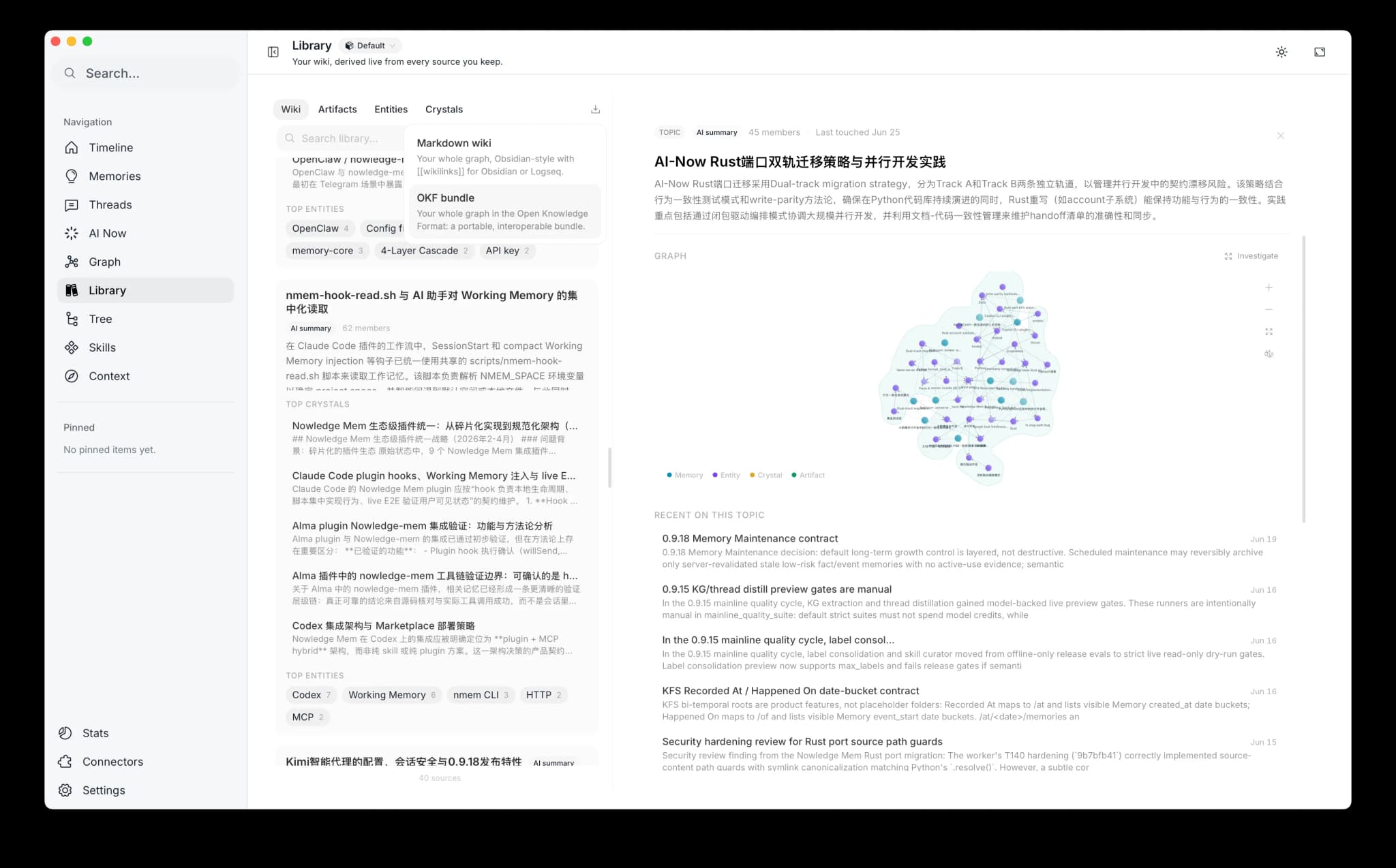
The OKF export is the portable version of your Library Wiki: markdown files, frontmatter, and standard links.
For the full export flow and the second format, see Library: Wiki Export.
What the bundle says about trust
A bundle carries not just what you know, but how far each piece has been checked. Mem exports OKF v0.2, which has a place for that:
- Reviewed by you. A crystal you confirmed is marked as verified by a person, and any OKF-aware reader shows it at the highest trust tier. The mark is deliberately anonymous, so sharing a bundle never exports your identity.
- Proposed, not confirmed. Anything the agent wrote that you have not signed off on stays explicitly unverified. Mem will not present its own suggestions as if you had approved them.
- No longer current. Entries you dismissed, archived, or replaced with a newer version are marked as superseded instead of sitting alongside live knowledge.
- Where a claim came from. Sources are listed in the frontmatter, with a footnote at the exact sentence they support rather than a flat list at the bottom.
Why it is useful
- Portable. A bundle is just markdown files. Open it in any editor, render it on GitHub, or version-control it next to your code.
- Vendor-neutral. Any OKF reader, including the reference tools Google ships, can open it. You are not locked into one app's format.
- Human- and agent-readable. The same file works for a person skimming it and an AI agent parsing it, with no translation layer in between.
OKF bundle vs Markdown wiki
The Library export offers two formats, and both cover your whole graph. The OKF bundle uses standard markdown links and the spec's frontmatter, so it is the interoperable choice. The Markdown wiki keeps the [[wikilinks]] you see inside Mem, so it drops straight into Obsidian or Logseq. Pick OKF for an interoperable copy; pick the markdown wiki for an Obsidian-style vault.
Both are a snapshot, not a sync target: edits you make outside Mem do not flow back. Re-export whenever you want a fresh copy.
Where to go next
- Library: the day-to-day surface where you export.
- LLM Wiki: the reading model OKF formalizes.
- Back up, export, and import: the separate full-data backup and migration path.
- Read the OKF specification: the canonical spec from Google Cloud.
- How Nowledge Mem came to speak OKF: the announcement.