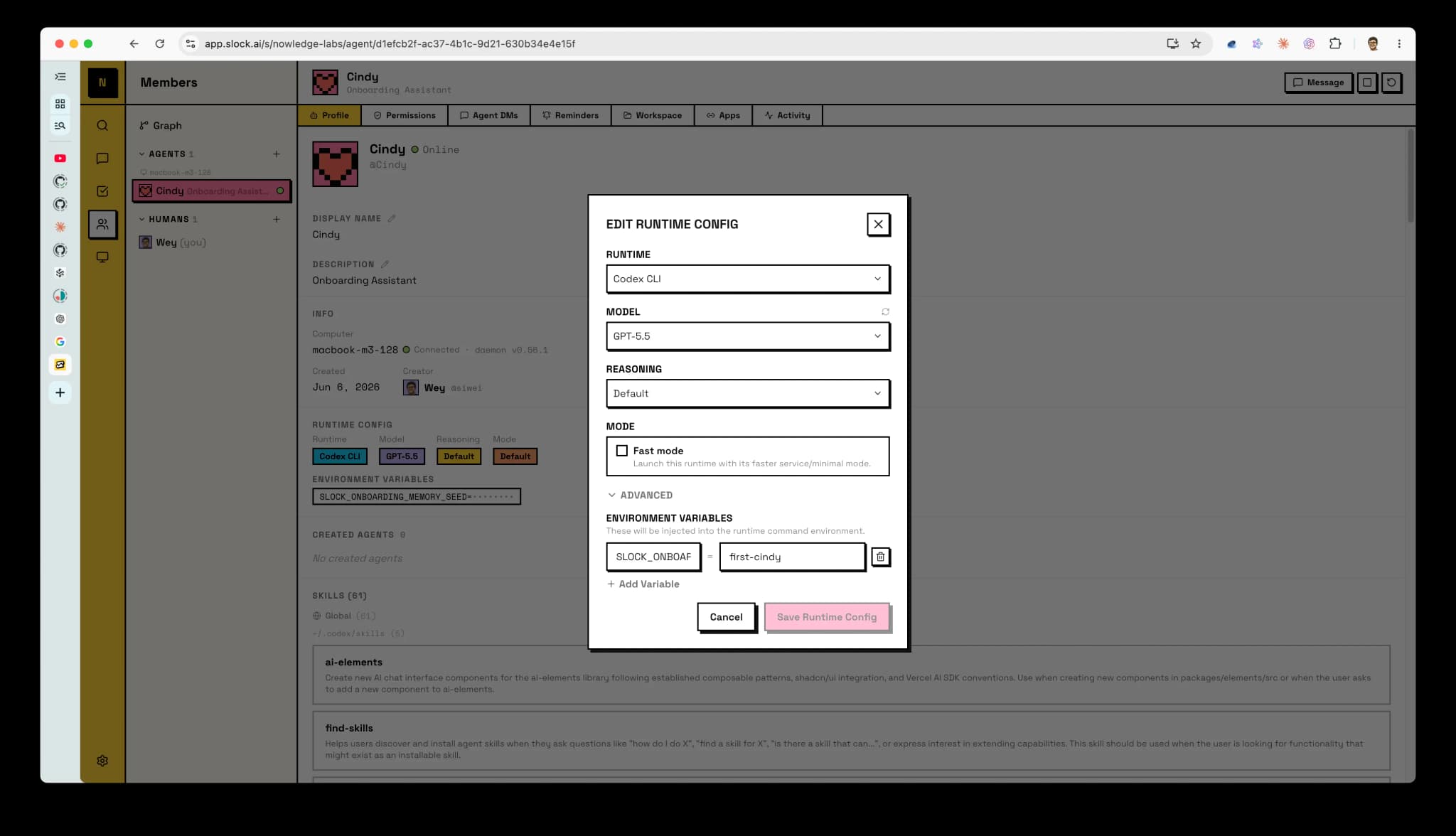
How Slock Connects
Slock launches an AI tool for each named worker. Connect that AI tool to Mem, then use one environment variable to select the named worker identity.
That identity is portable. Keep NMEM_AGENT_ID=cindy if the Cindy worker moves from Slock to another orchestrator, or if the launched AI tool changes from Codex to Pi.
Minimal Setup
Create the Mem AI Identity:
nmem agents upsert cindy \
  --name "Cindy" \
  --default-space onboarding \
  --instructions "Help with onboarding. Explain one step at a time."
This creates the Mem AI Identity named Cindy. Its command and environment ID is cindy.
This command only creates the identity record. It does not make every Codex session use Cindy.
Then add this in the Slock worker's environment:
NMEM_AGENT_ID=cindyAdd NMEM_SPACE=onboarding only when this entire Slock worker should override the identity's default space.
Create a new identity such as cindy-reviewer only when the behavior should diverge. The new identity can start from Cindy's Rules and then evolve separately.
What To Ignore
Most users should not set NMEM_HOST_AGENT_ID. It is for advanced host-id aliases such as slock:<uuid>, not a second required identity field.