
ChatGPT 网页版与桌面版
通过浏览器扩展从 ChatGPT 捕获记忆,或通过 Remote MCP over OAuth 让 ChatGPT 网页版和桌面版直接搜索你的 Nowledge Mem。
Plugins Directory 上架是独立步骤
符合条件的用户在公开目录审核前就能使用下方自定义 App。保存 App 后,ChatGPT 会创建真实的生产 technical ID(plugin_asdk_app_…),供后续 Plugins Directory 提交使用;不要猜测或发布占位 ID。
先确认 ChatGPT 套餐和角色
ChatGPT Pro 可以在 Developer mode 中连接自定义 MCP App,但仅支持 read/fetch;完整写入 MCP 目前仅限 Business、Enterprise 和 Edu。Business 只有 admin/owner 能创建和发布 App;Enterprise/Edu 需要管理员授予 Developer mode,获授权的 developer 可以测试,但仍只有 admin/owner 能发布。如果你的套餐或角色看不到创建入口,请先用浏览器扩展捕获内容,并等待公开的 Nowledge Mem plugin,不要把入口缺失误判成 Mem 故障。
为你的 workspace 选择地址
Cloud workspace 使用 Connectors 里的公开 /mcp 地址;本机 App workspace 先通过 Access Anywhere 获得公开 HTTPS 地址。两者都直接连接自己的 Mem endpoint,不经过共享 MCP 网关。
ChatGPT 和 Nowledge Mem 有两种不同的连接方式:
- 浏览器扩展:从你正在使用的 ChatGPT 网页捕获洞察,或备份当前对话线程。
- 通过 OAuth 远程连接 MCP:把 Mem 作为 ChatGPT connector 接入,让 ChatGPT 网页版和桌面版在对话中搜索你的记忆、对话和资料库上下文。
想把 ChatGPT 的内容保存进 Mem,就用浏览器扩展。想让 ChatGPT 读取 Mem,就用 Remote MCP。
方式一:捕获 ChatGPT 对话
如果你想从 ChatGPT 页面保存决策、发现或完整对话备份,请安装 Nowledge Mem Exchange。
选择要保存的内容
用 Always Remember 自动捕获高价值记忆;用 Manual Distill 手动提炼你认为重要的对话;用 Thread Backup 把完整对话保存为 Mem 线程。
ChatGPT Team / Business 的旧对话
个人版 ChatGPT 通常可以走 OpenAI 官方数据导出,再把导出的 chat.html 通过导入已有对话放进 Mem。ChatGPT Business、Enterprise,以及部分 Team workspace 目前不一定有同样的全量导出入口。
如果你需要把旧 workspace 对话带进 Mem,请把它当成一个“数据可携带性”流程:
- 还能打开的当前对话:用 Exchange 侧边栏保存当前线程。
- 已经导出到本地的文件:从 对话 → 导入 → 导入账号历史 导入,或用本机
nmemCLI 导入。 - 公司或团队数据:先确认 workspace 政策。不要把 ChatGPT access token 粘给你不完全信任的工具。
非官方导出工具不是 Mem 功能
社区讨论里有人提到 chatGPT_extractor 和 export-chatgpt 这类工具,用来导出 ChatGPT Team 或 Business 历史。它们不是 OpenAI 或 Nowledge Mem 官方工具,可能依赖 ChatGPT 网页 session token 或内部接口;ChatGPT 改版后也可能失效,并且不一定符合你的 workspace 政策。只在你信任的本机环境中运行,并确认你有权导出这些数据。
拿到本地导出文件夹后,可以让你的 coding agent 安全地批量导入:
我已经把 ChatGPT Team/Business 的对话导出到:
/path/to/export-folder

请只在本机检查这些文件,不要上传到其他服务。参考 `nmem t import --help`,
用本机 `nmem` CLI 把这些对话作为 ChatGPT threads 导入 Nowledge Mem。
先导入少量样本,用 `nmem t list --source chatgpt -n 5` 验证标题、顺序和内容,
再继续批量导入。能保留标题和时间就保留,source 设为 `chatgpt`,
不要自动创建长期记忆。
如果只有单个 Markdown、JSON 或 HTML 文件,可以先从这个命令开始:
nmem t import --file /path/to/conversation.md --source chatgpt关于为什么需要这条路径,可以参考 OpenAI 社区里关于 ChatGPT Team 导出限制的讨论。
方式二:让 ChatGPT 通过 MCP 使用 Mem
当 ChatGPT 要求填写远程 MCP connector URL 时,使用这条路径。请先确认
工作区的位置:Cloud 工作区使用 连接器 中的公开 Cloud /mcp 地址;本地
工作区则先通过 Access Anywhere 暴露公开 HTTPS 地址。ChatGPT 会在连接器流程
中完成 OAuth,因此不需要把私有 nmem_ API key 粘贴到 ChatGPT。
先确认 Mem 在哪里运行
ChatGPT 是云端客户端,不能访问你机器上的 localhost
或内网地址。如果工作区在 Nowledge Cloud,直接从 Connectors 复制公开的
Cloud MCP 地址;如果 Mem 在你的电脑上,先配置一个公开 HTTPS 的 Access
Anywhere endpoint,再复制以 /mcp 结尾的地址。
使用自己的 Cloudflare 域名?
如果 OAuth 弹窗一直没有打开,或者 Mem 收不到任何入站请求,请先看随处访问 Mem里的 Cloudflare 安全设置说明。Browser Integrity Check、Bot Fight Mode 或 AI Labyrinth 可能会在请求到达 Mem 前拦截设置流程。
在 Mem 中启动 Remote MCP OAuth
如果工作区在 Nowledge Cloud,打开 Connectors,复制工作区的公开 Cloud MCP 地址,然后直接进入 ChatGPT 的 connector 设置。只有 Cloud 部署已经提供 OAuth 发现元数据时,这条路径才可用;否则请使用支持 API key 的客户端连接方式, 或使用浏览器扩展捕获对话。
如果工作区在本地桌面 Mem,打开 Mem → 集成 → Plugins → 通过 OAuth 远程连接
MCP,点击开始设置。Mem 会在浏览器中打开配对页面,并复制 Access Anywhere
的 /mcp 地址。后续 ChatGPT 的 OAuth 授权也请使用同一个浏览器 Profile。
如果你误关了配对页或 ChatGPT 的授权页,回到 Mem 的通过 OAuth 远程连接 MCP, 点击重新开始即可立刻打开新的配对页,不需要等待上一个 30 分钟配对窗口过期。
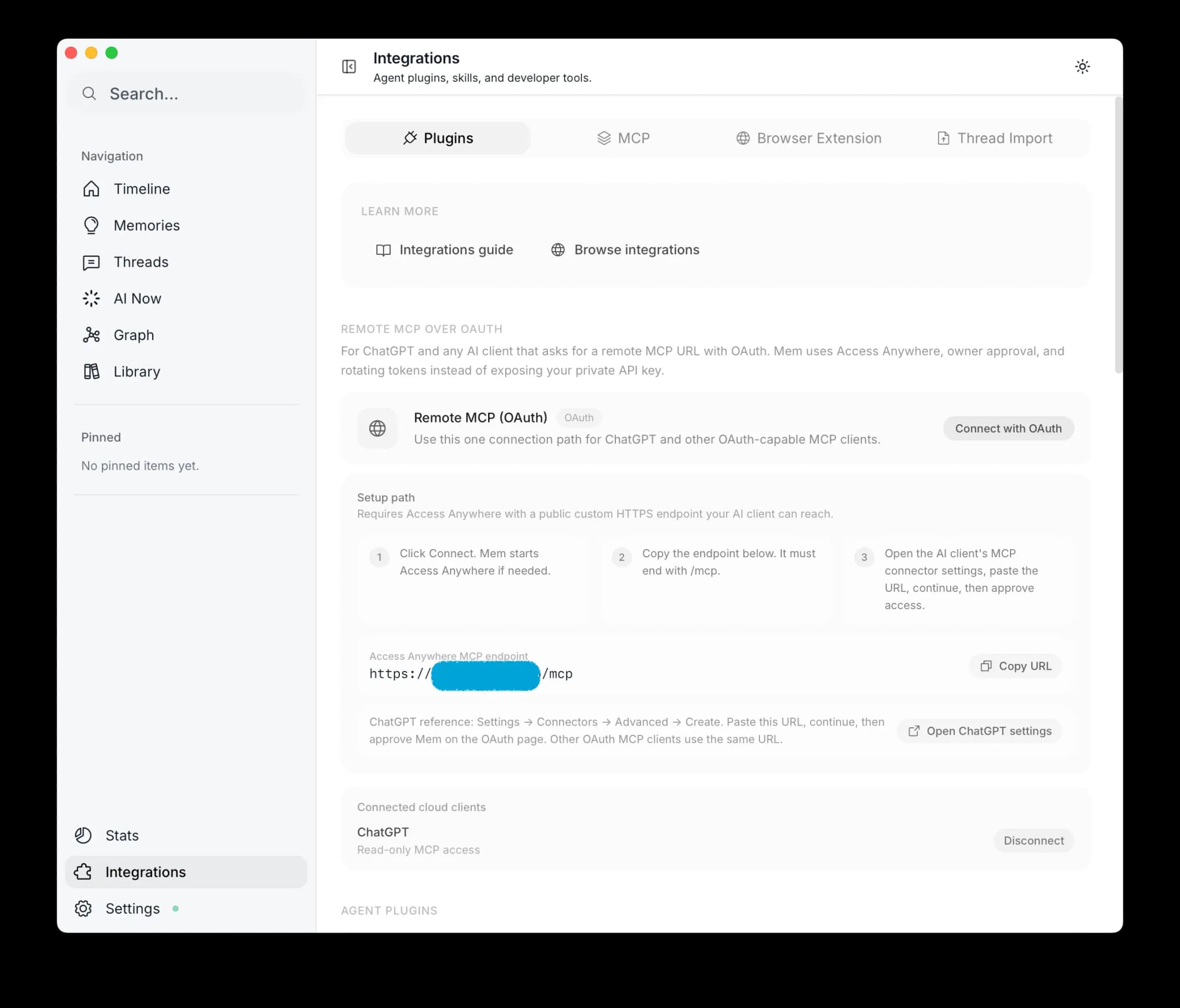
在 ChatGPT 中创建 connector
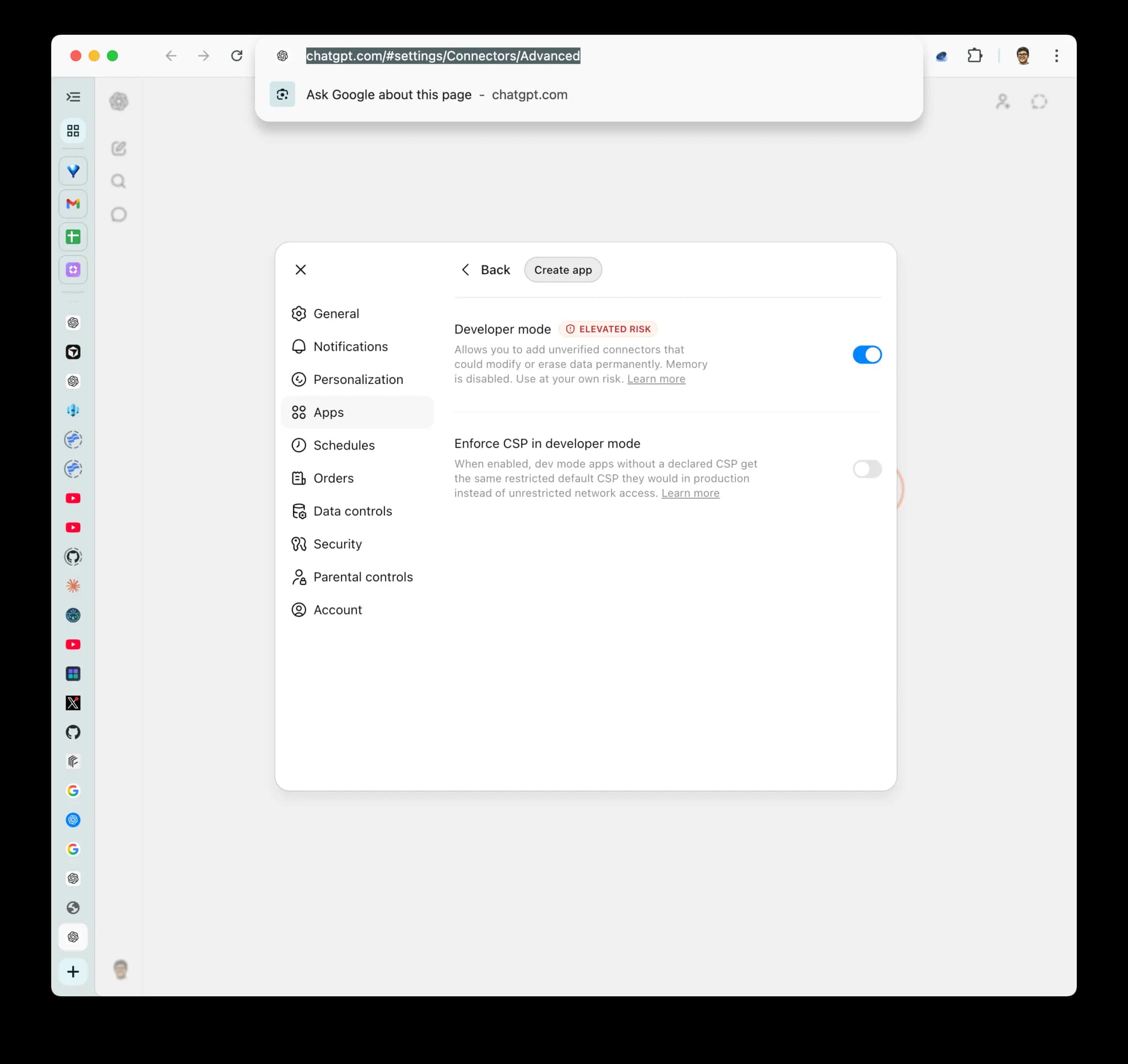
先开启 Developer mode
打开 Settings → Apps → Advanced settings 并启用 Developer mode。 Pro 只支持 read/fetch;Business 只有 admin/owner 能创建;Enterprise/Edu 可以由管理员授权 developer 创建和测试,但发布仍需 admin/owner。套餐、角色或 workspace 策略不符合条件时,创建入口不会显示。
打开 创建 ChatGPT 连接器。
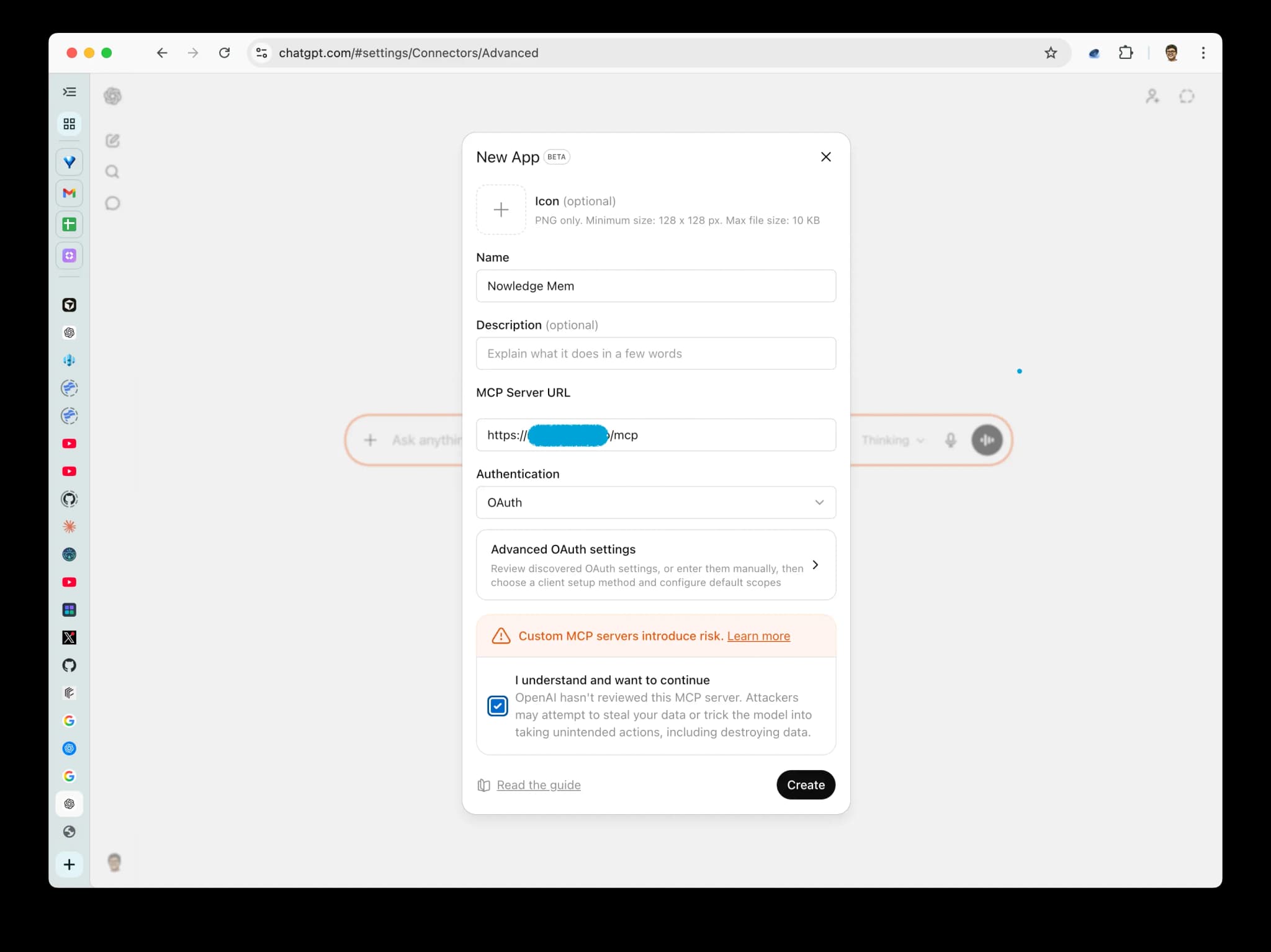
粘贴 Mem MCP endpoint
Cloud 工作区从 Connectors 复制 Cloud MCP endpoint;本地工作区从
Access Anywhere 设置流程复制 endpoint。这个地址必须以 /mcp 结尾,例如:
https://your-access-anywhere-domain.example/mcp把这个 URL 粘贴到 ChatGPT,然后继续。
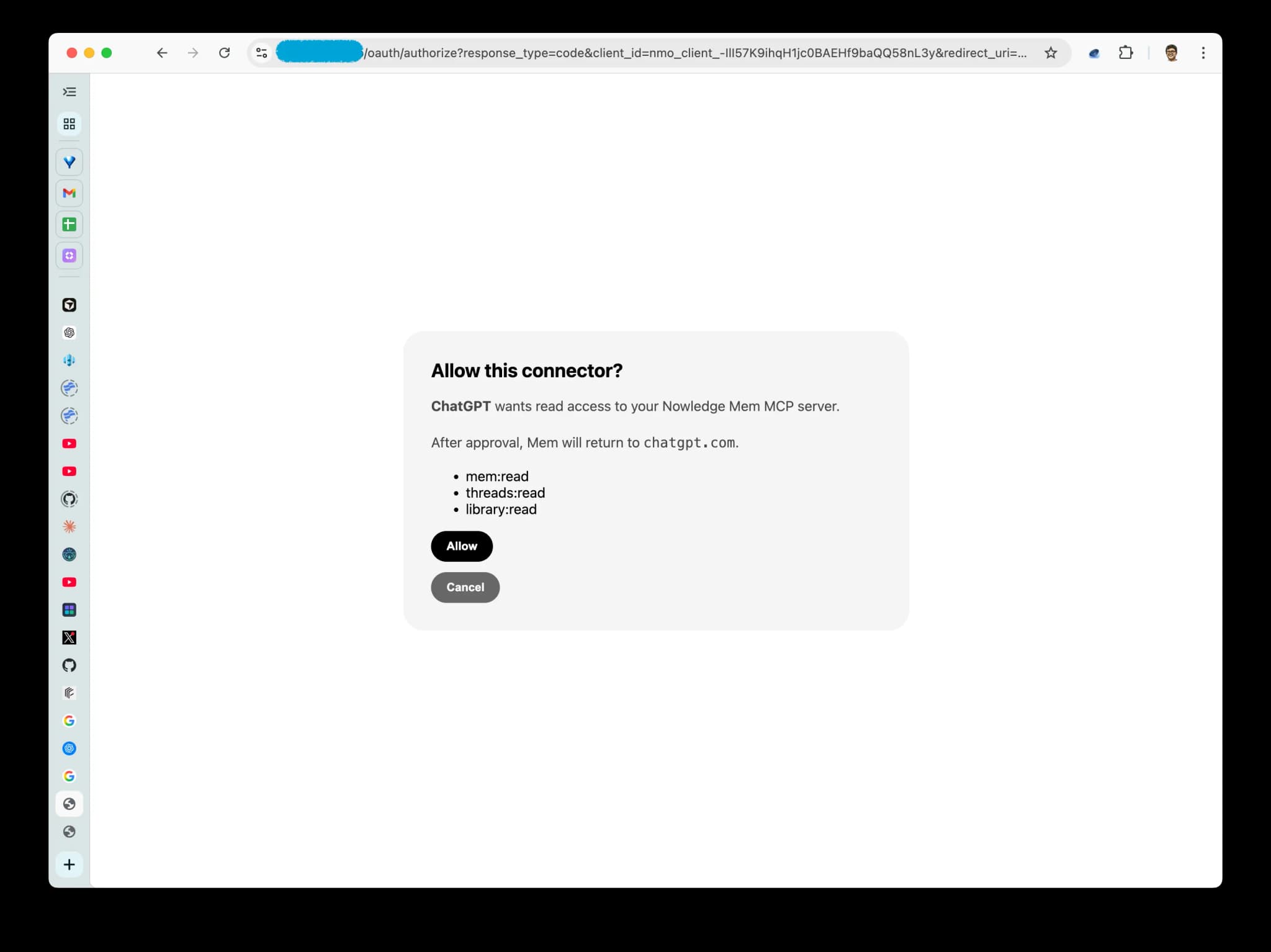
通过 OAuth 授权 Mem
当 Mem 打开 OAuth 授权页面时,允许 ChatGPT 使用 Mem。如果你看到“Pair this browser with Mem”,请回到 Mem,点击重新开始,并在打开配对页的同一个浏览器 Profile 中继续。
确认 App 已创建
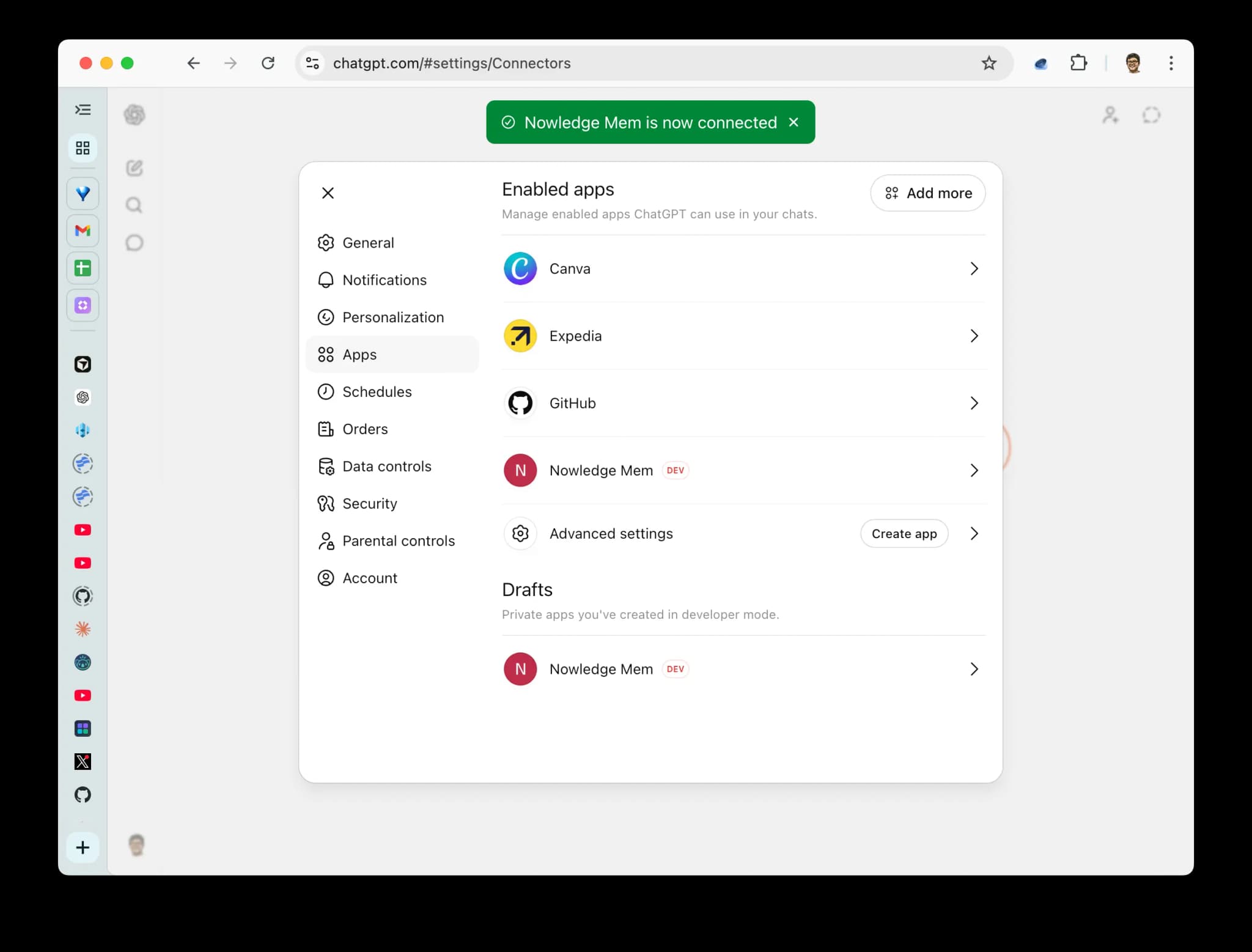
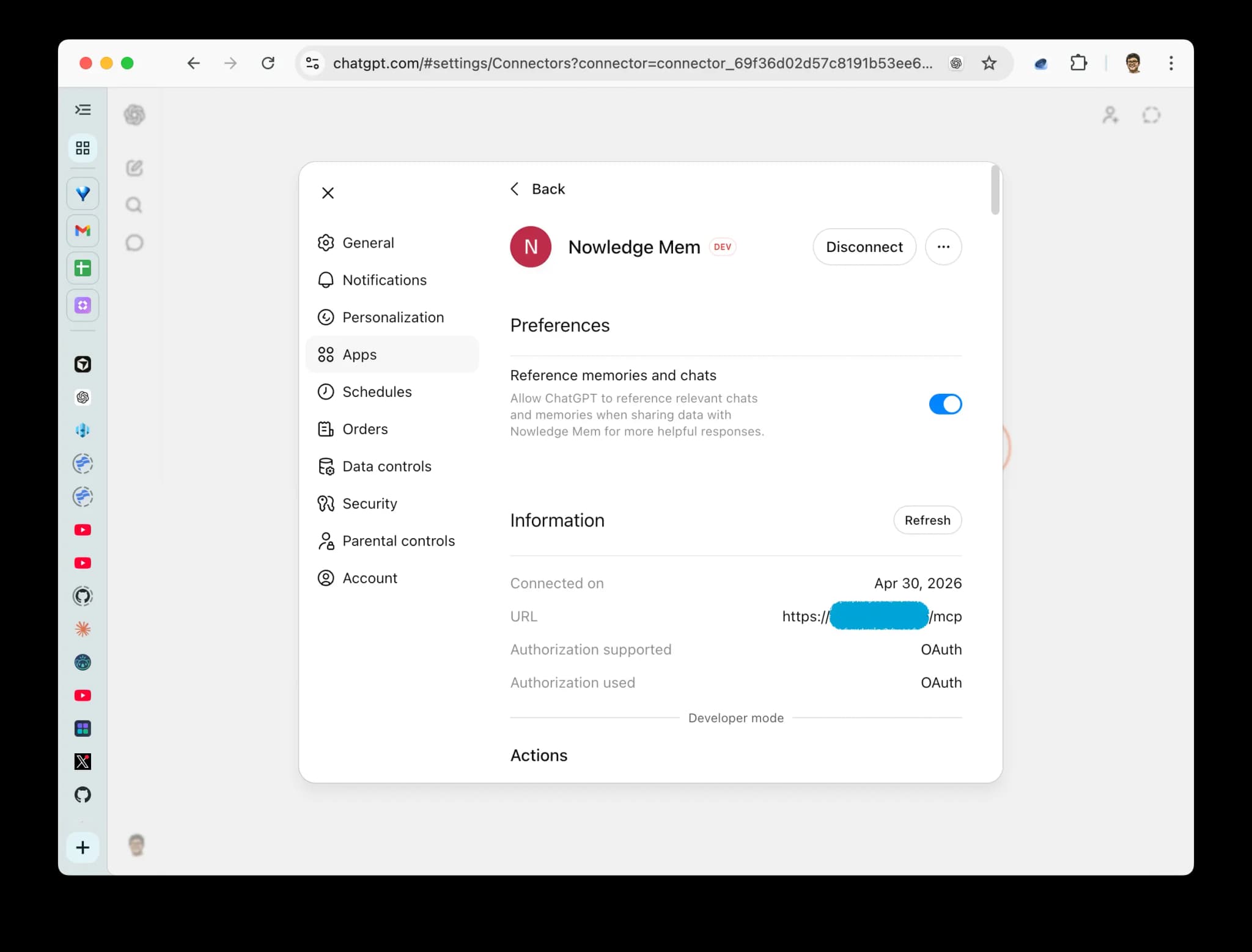
ChatGPT 现在应该会在 Settings → Apps 中显示 Nowledge Mem。保存后会生成真实的
plugin_asdk_app_… technical ID;请记录它供后续 Plugins Directory 提交使用。公开审核是独立的发布步骤,不影响这个私有连接。
让 ChatGPT 使用 Mem
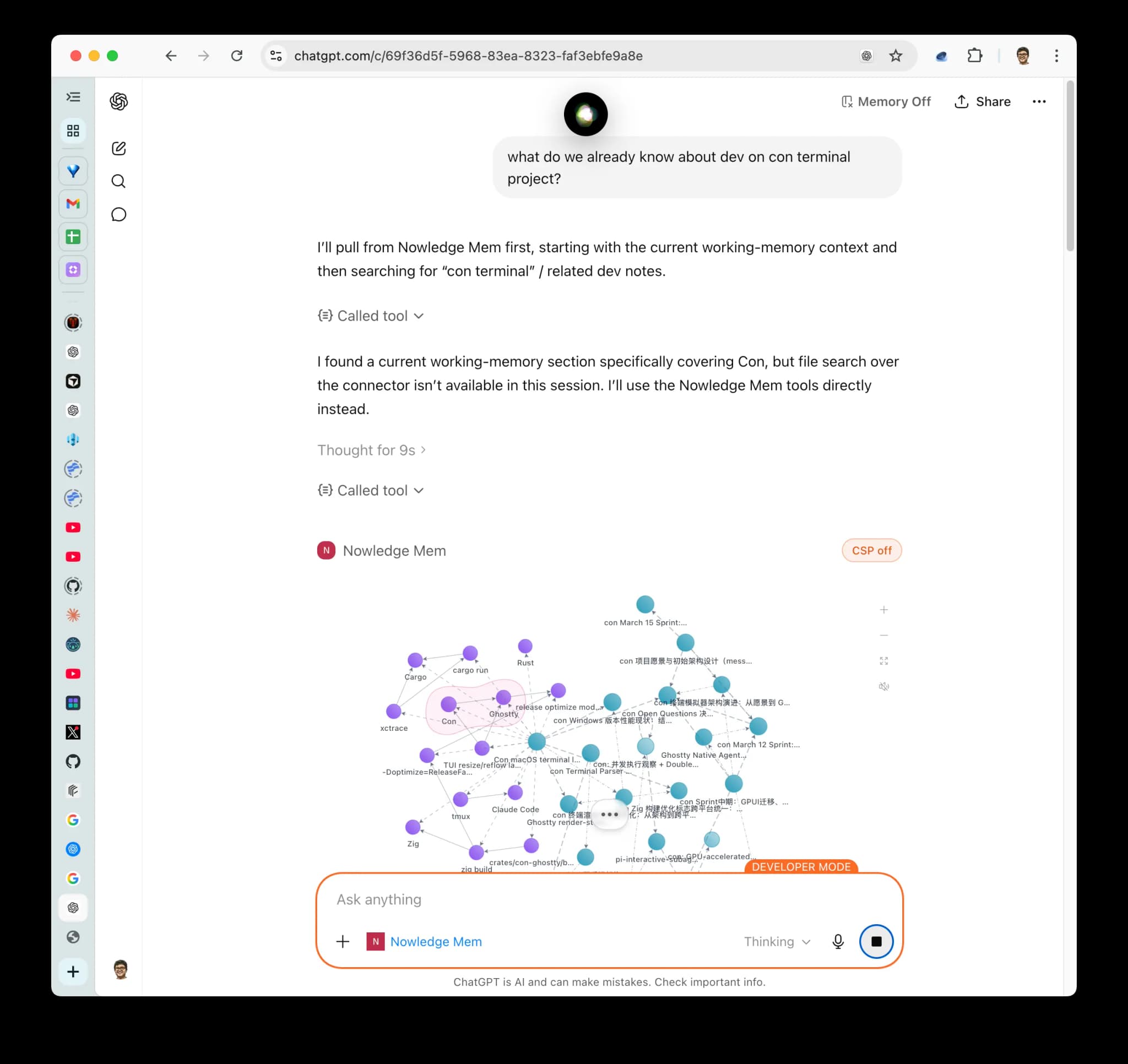
在 ChatGPT 网页版或桌面版里输入 @Nowledge Mem,然后让它搜索 Mem,例如:"Search my Mem for the project decision about the database migration."
Pro 请验证记忆搜索或 Context Bundle 等只读能力。Business、Enterprise 或 Edu 在管理员允许写 action 后才验证一次范围明确的写入。
桌面版也可以用
目前创建自定义 connector 需要从 ChatGPT 网页设置进入。添加完成后,同一个
ChatGPT 账号可以在桌面版里通过 @Nowledge Mem 调用它。
应该用哪条路径?
| 目标 | 使用 |
|---|---|
| 把有价值的 ChatGPT 对话保存进 Mem | 浏览器扩展 |
| 让 ChatGPT 网页版或桌面版在对话中搜索 Mem | Remote MCP over OAuth |
| 导入多年 ChatGPT 历史记录 | 导入已有对话 |
| 没有官方全量导出的 ChatGPT Team / Business 旧历史 | 用你信任的工具导出到本地,再用 nmem 导入 |