Overview
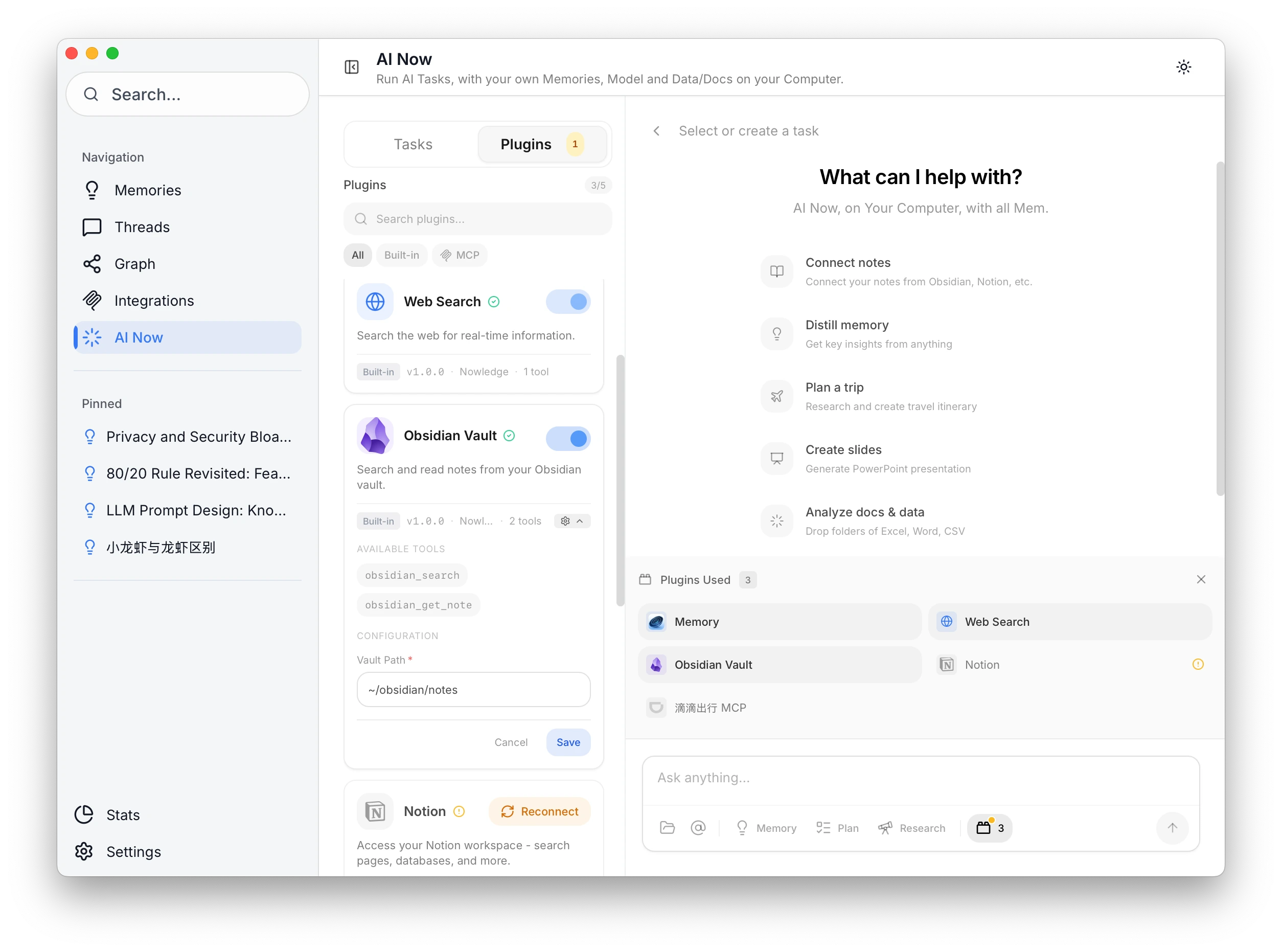
AI Now connects to Notion via secure OAuth. Search your workspace alongside memories.
Setup
- Open Nowledge Mem → AI Now → Plugins
- Enable Notion
- Click Connect and authorize in browser
- Select pages/databases to share
Usage
"Find pages about quarterly planning" "What's in my Product Roadmap page?"
You control exactly which pages Nowledge Mem can access. Revoke anytime from Notion settings.