
Background Intelligence
How your knowledge grows on its own. Connections, insights, crystals, and daily briefings.
Background Intelligence is how Mem becomes more than a storage layer.
You save memories, threads, and documents. Then the system keeps working on them: linking related ideas, surfacing contradictions, synthesizing clusters, and writing a daily briefing your connected tools can read.
You save a decision about PostgreSQL in January. In July, you record that you're migrating to CockroachDB. Six months apart, different contexts. Nowledge Mem links them, tracks the evolution, and the next time you search for either, both appear with the full trail of how your thinking changed.
This runs in the background. You open the app and the connections are there.
What to prove first
Do not try to validate every background feature at once. The first useful proof is simpler: save enough real knowledge that Mem can show you one relevant briefing item, one non-obvious connection, or one contradiction you had not surfaced yourself.
Requirements
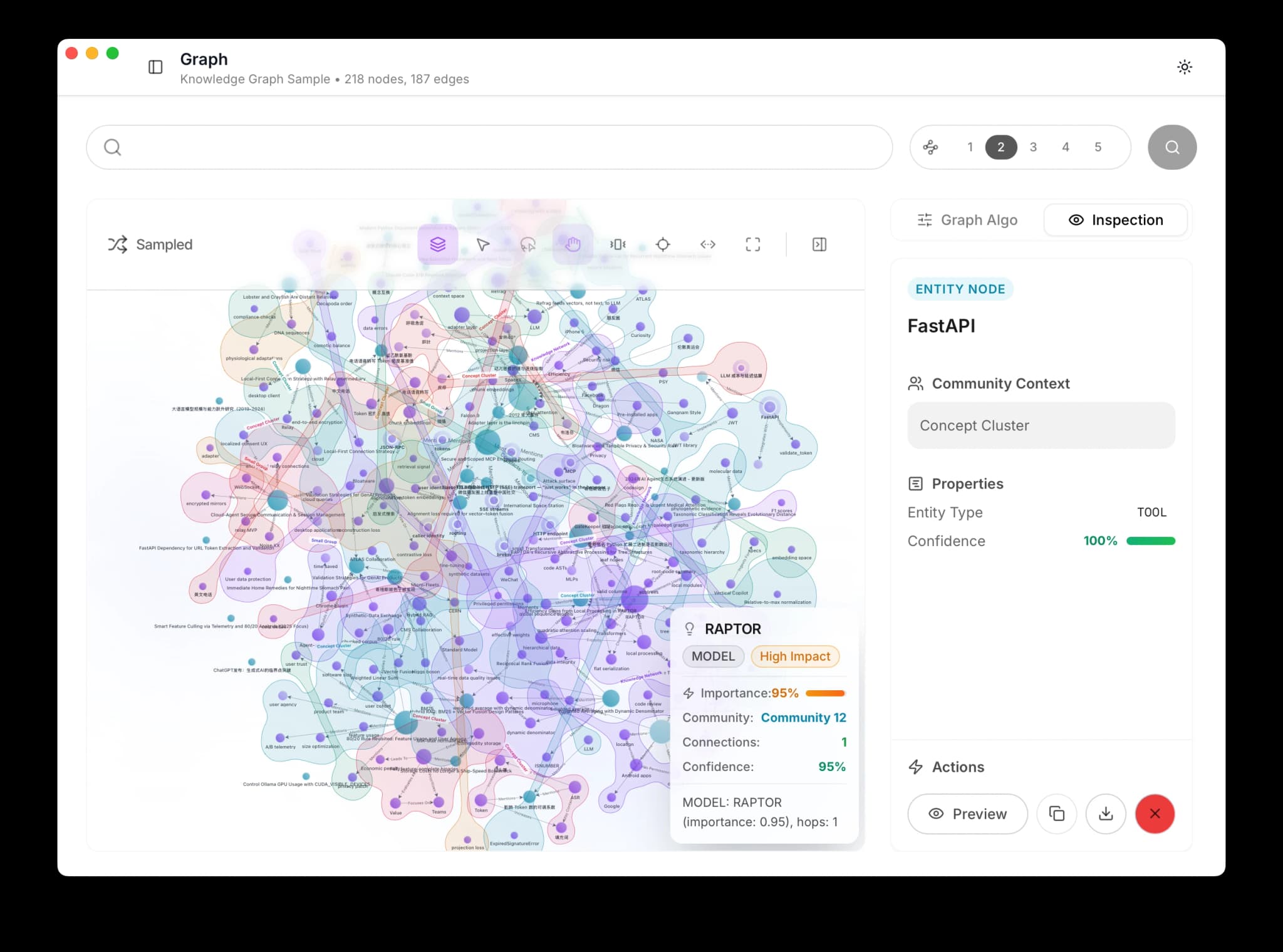
Background Intelligence requires a configured Remote LLM and the appropriate license for your build. Enable it in Settings > Knowledge Processing.
The First Useful Sign
You know Background Intelligence is becoming useful when Mem shows you something you probably would not have found on your own:
- a contradiction between old and new thinking
- a cluster of related work across time
- a morning briefing that is actually relevant
Knowledge Graph
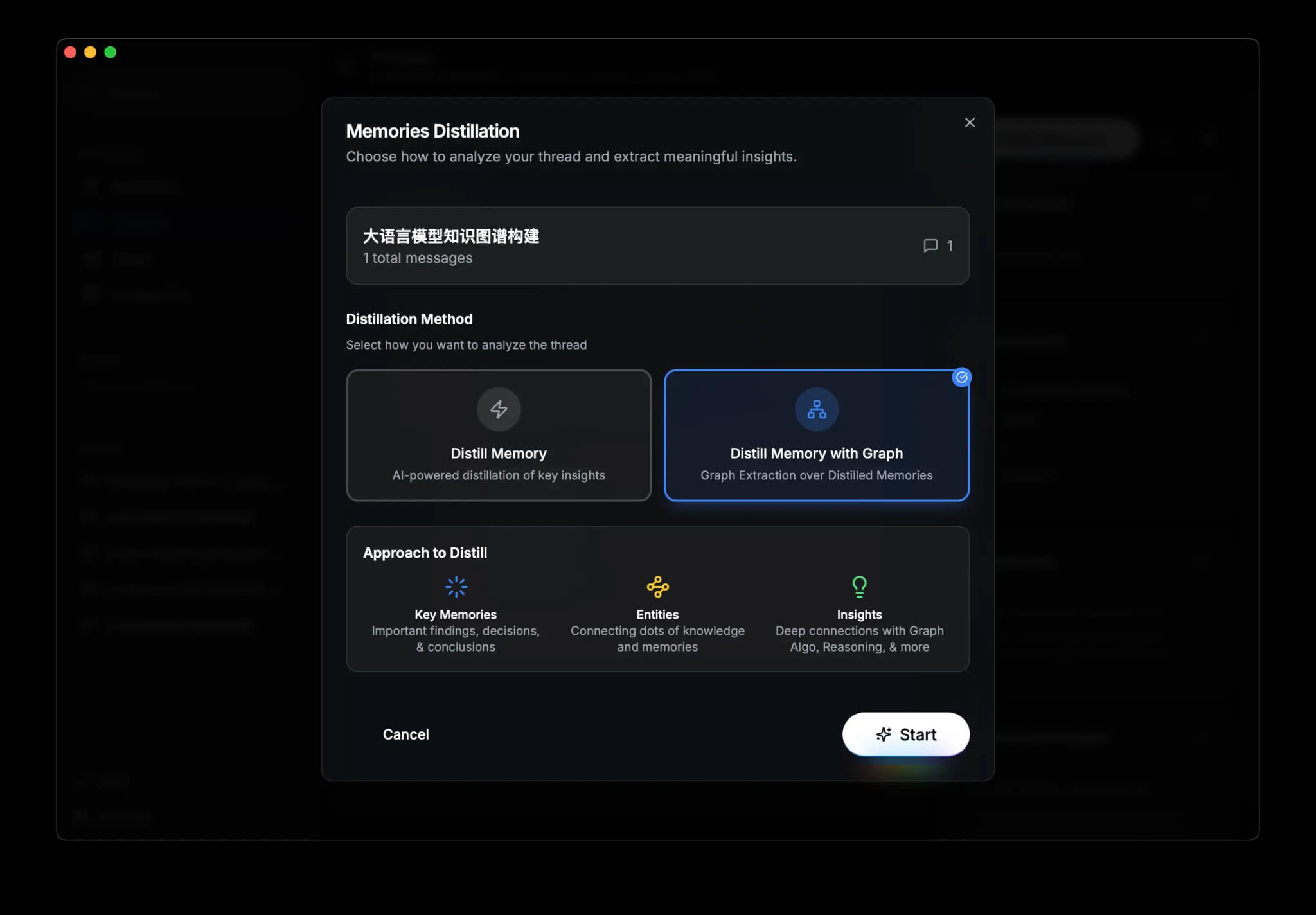
Every memory becomes a node in a graph. The system extracts entities (people, technologies, concepts, projects) and maps how they relate to each other and to your existing knowledge.
The result: search "distributed systems" and find your memory about "Node.js microservices." The words don't match. The meaning does.
Automatic vs. manual
With Background Intelligence enabled, extraction runs automatically for new memories. You can also trigger it manually for older ones.
What Gets Extracted
When a memory is processed, the LLM identifies:
- Entities: people, technologies, concepts, organizations, projects
- Relationships: how those entities connect
- Links to existing knowledge: connections to memories already in the graph
Trigger extraction for any memory by clicking Knowledge Graph on its card.
Knowledge Evolution
When you save something new about a topic you've written about before, the system detects the relationship and creates a version link:
| Link type | Meaning | Example |
|---|---|---|
| Replaces | You changed your mind | "Use CockroachDB" replaces "Use PostgreSQL" |
| Enriches | You added depth | "React 19 adds a compiler" enriches "React 18 concurrent rendering" |
| Confirms | Independent agreement | Two separate reviews recommend the same library |
| Challenges | Contradiction detected | Your March assessment disagrees with your October conclusion |
You can trace how your understanding of any topic changed over time.
Community Detection
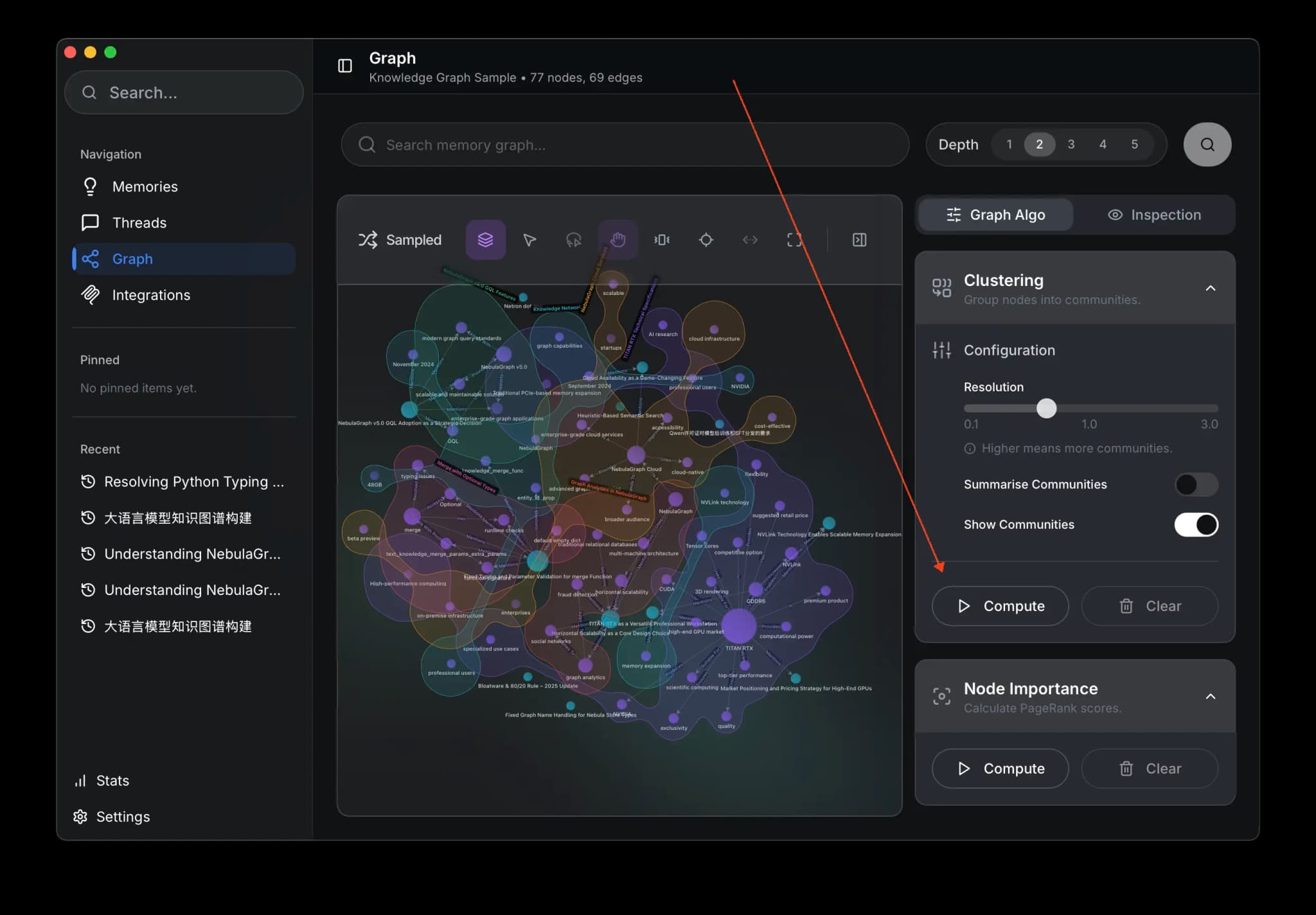
Graph algorithms find natural clusters in your knowledge: groups of tightly connected memories that form coherent topics. Your graph might reveal clusters for "React Patterns," "API Design," and "Database Optimization." A map of your expertise you never drew by hand.
In Graph View, click Compute to run community detection.
Visual Exploration
Your knowledge as an interactive network. Click a memory to see its connections. Zoom into clusters. Follow links between topics you never thought to compare.
The timeline slider filters by date range. Watch how your knowledge in a domain grew over weeks or months.
What the System Discovers
The graph is the foundation. On top of it, Background Intelligence actively analyzes your knowledge and surfaces findings in the Timeline.
Insights
Insights are connections you wouldn't have found on your own.
- Cross-domain links. In March you noted that JWT refresh tokens were causing race conditions in the payment service. In September you chose the same token rotation pattern for a new auth service. The system catches it: same failure pattern, different project.
- Temporal patterns. "You've revisited this database migration decision 3 times in 2 months." Maybe it's time to commit.
- Forgotten context. "Your March assessment contradicts the approach you chose in October." The system remembers what you wrote, even when you don't.
Every insight cites its sources so you can trace the reasoning.
Quality over quantity
One insight that changes how you think beats ten that state the obvious. Strict quality gates keep the noise out.
Crystals
Five memories about React patterns saved over three months. Scattered across your timeline. Hard to piece together.
A crystal synthesizes them into one reference article. Sources are cited. When you save new related information, the crystal updates.
Crystals appear when the system has enough material to say something useful. You don't request them.
Flags
Sometimes the system finds problems, not connections:
| Flag | What it means | Example |
|---|---|---|
| Contradiction | Two memories disagree | "Use JWT tokens" vs. "Session cookies are more secure" |
| Stale | Newer knowledge supersedes older | A deployment guide from 6 months ago, overwritten by recent notes |
| Needs verification | Strong claim, no corroboration | A single memory making an assertion with no supporting evidence |
Each flag appears in the Timeline. You can dismiss it, acknowledge it, or link it to a resolution.
Working Memory
Each morning, Mem writes a Working Memory briefing for the current space:
- Active topics based on recent activity
- Unresolved flags needing attention
- Recent changes in your knowledge base
- Priority items by frequency and recency
Connected AI tools can load this briefing through their own connector path at session start. MCP is one path, but native connectors and other packaged setups can do the same.
The Default space keeps the familiar compatibility file at ~/ai-now/memory.md. If you turn on Spaces, other spaces get their own Working Memory briefings behind the same Mem APIs and connectors.
You can still edit Working Memory directly. Your changes are respected.
Works with your AI tools
Connected AI tools can load Working Memory through MCP, native connectors, or other packaged paths. When a tool knows the active space, it reads the right briefing automatically.
Configuration
Control background processing in Settings > Knowledge Processing:
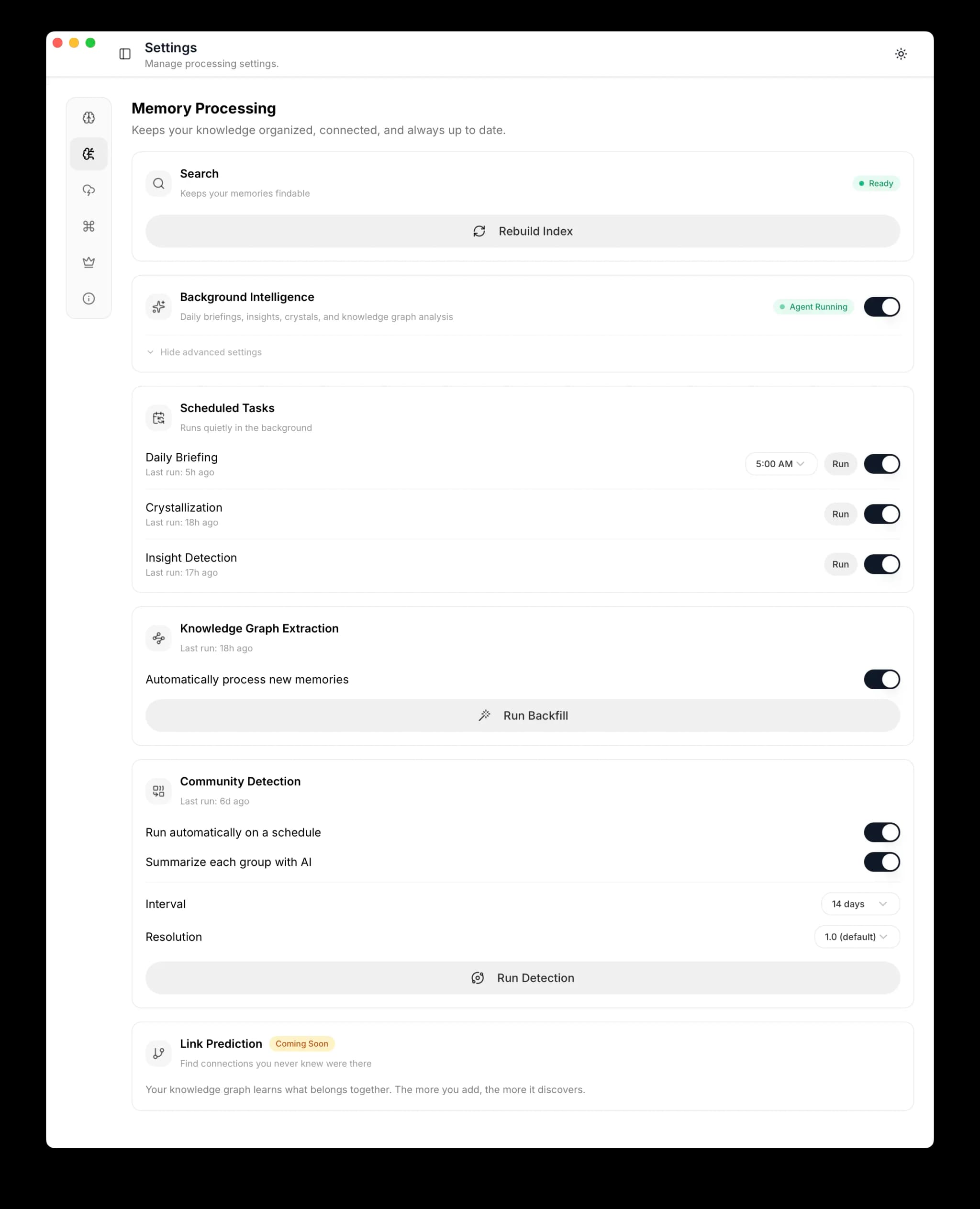
| Setting | Default | What it controls |
|---|---|---|
| Background Intelligence | Off | Master toggle for all background processing |
| Daily Briefing | On (when enabled) | Morning Working Memory generation |
| Briefing Hour | 8 | What hour the daily briefing runs (local time) |
| Auto Extraction | On (when enabled) | Automatic knowledge graph enrichment for new memories |
On Linux servers, configure via CLI:
nmem config settings set backgroundIntelligence true
nmem config settings set autoDailyBriefing true
nmem config settings set briefingHour 8
Next Steps
- Memories: Create, search, organize, and connect your knowledge
- Threads: Capture, browse, and distill AI conversations
- Getting Started: The Timeline, document import, and all ways to add knowledge
- Connectors: Connect your AI tools through native connectors, reusable packages, MCP, and browser capture
- Troubleshooting: Common issues and solutions