
ブラウザ拡張機能
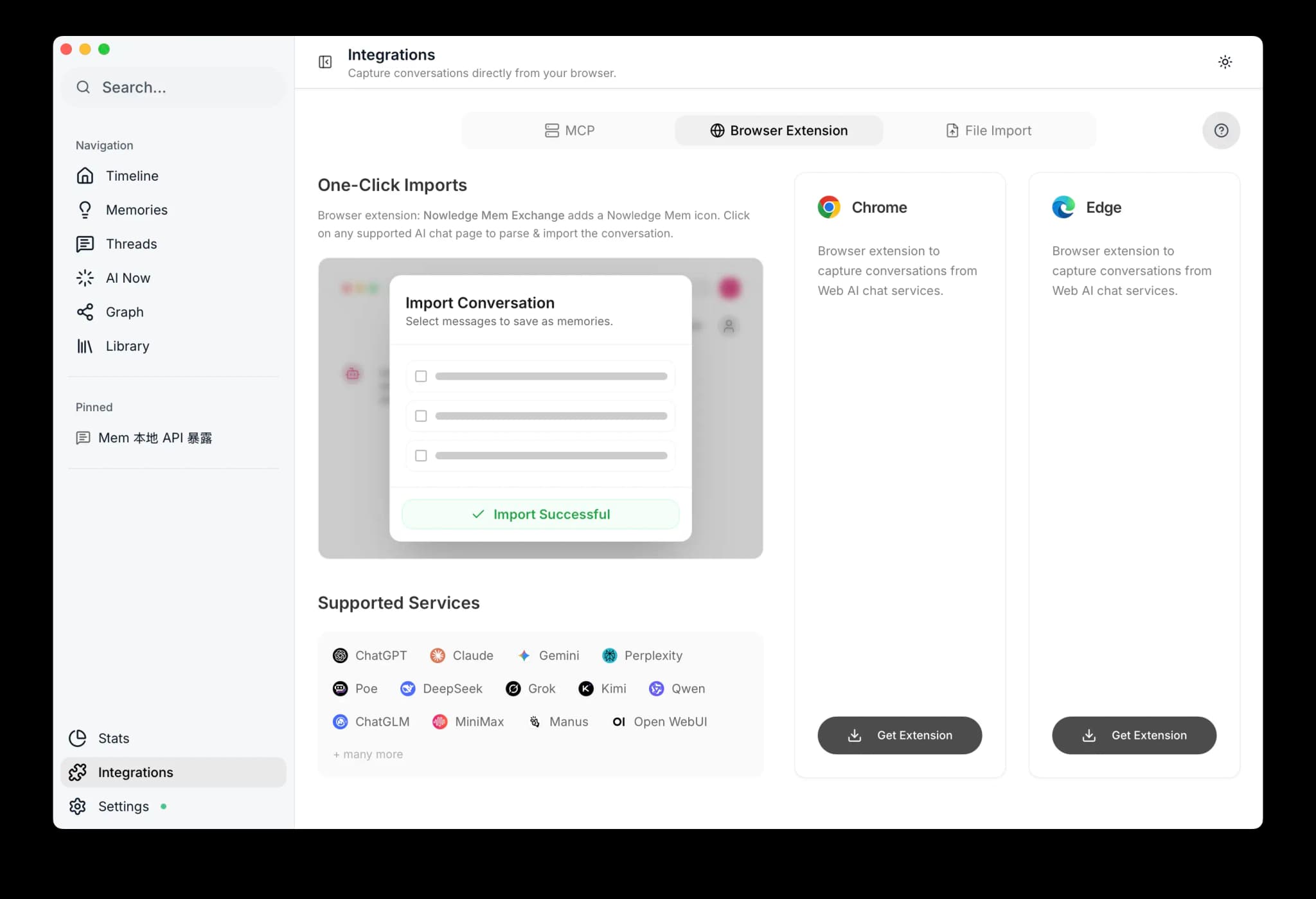
Nowledge Mem Exchange拡張機能で、対応するWeb AIチャットプラットフォームからメモリとスレッドのバックアップをキャプチャします。
Nowledge Mem Exchangeは、対応するWeb AIチャットプラットフォームからメモリとスレッドのバックアップをキャプチャします。 Chrome、Edge、Arc、Firefoxで、ブラウザネイティブのサイドパネルまたはサイドバーを使用して、会話のそばで動作します。
最初の成功状態
対応するチャットを1つ開き、サイドパネルを開いて、次のいずれか1つだけを実行してください。 有用なインサイトを1つ自動キャプチャする、会話を1つ手動で蒸留する、またはスレッドを1つバックアップする。 その結果がMemに表示されれば、拡張機能の経路は機能しています。
Firefox のサポート
Firefoxはネイティブのサイドバーを使用します。 同じキャプチャ、手動蒸留、スレッドバックアップのワークフローがそこで動作します。 Browse Nowのブラウザ操作は別機能であり、引き続きChrome、Edge、Arc、またはその他のChromiumブラウザが必要です。
スマート蒸留
拡張機能は今や、会話をただ盲目的にエクスポートするのではなく、インテリジェントに検査できるものとして扱います。 自動キャプチャと手動蒸留はどちらも、ライブスレッドを選択的に読み取り、Memにすでに存在するものを確認し、その後メモリを作成するか更新するかを判断します。
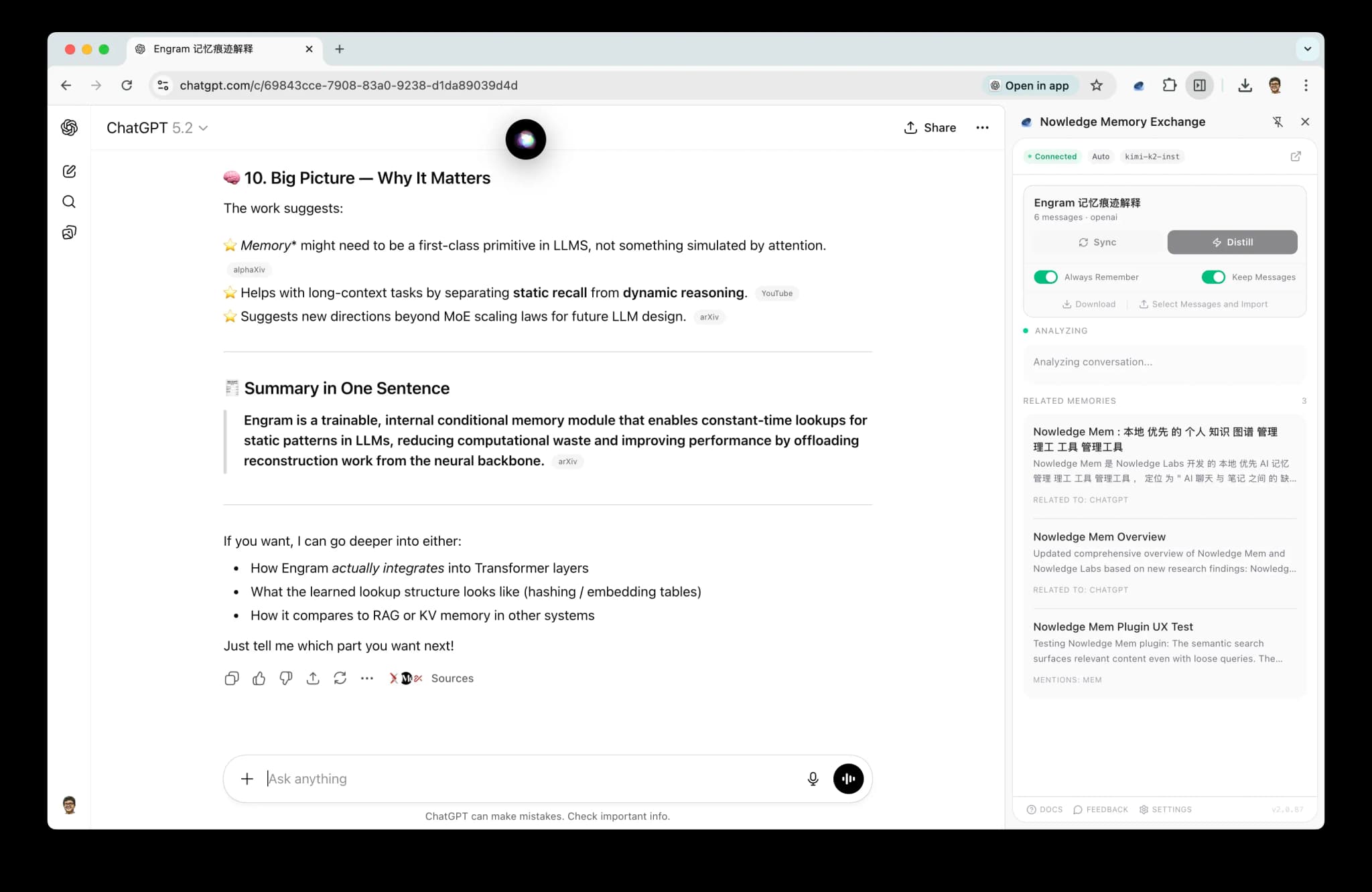
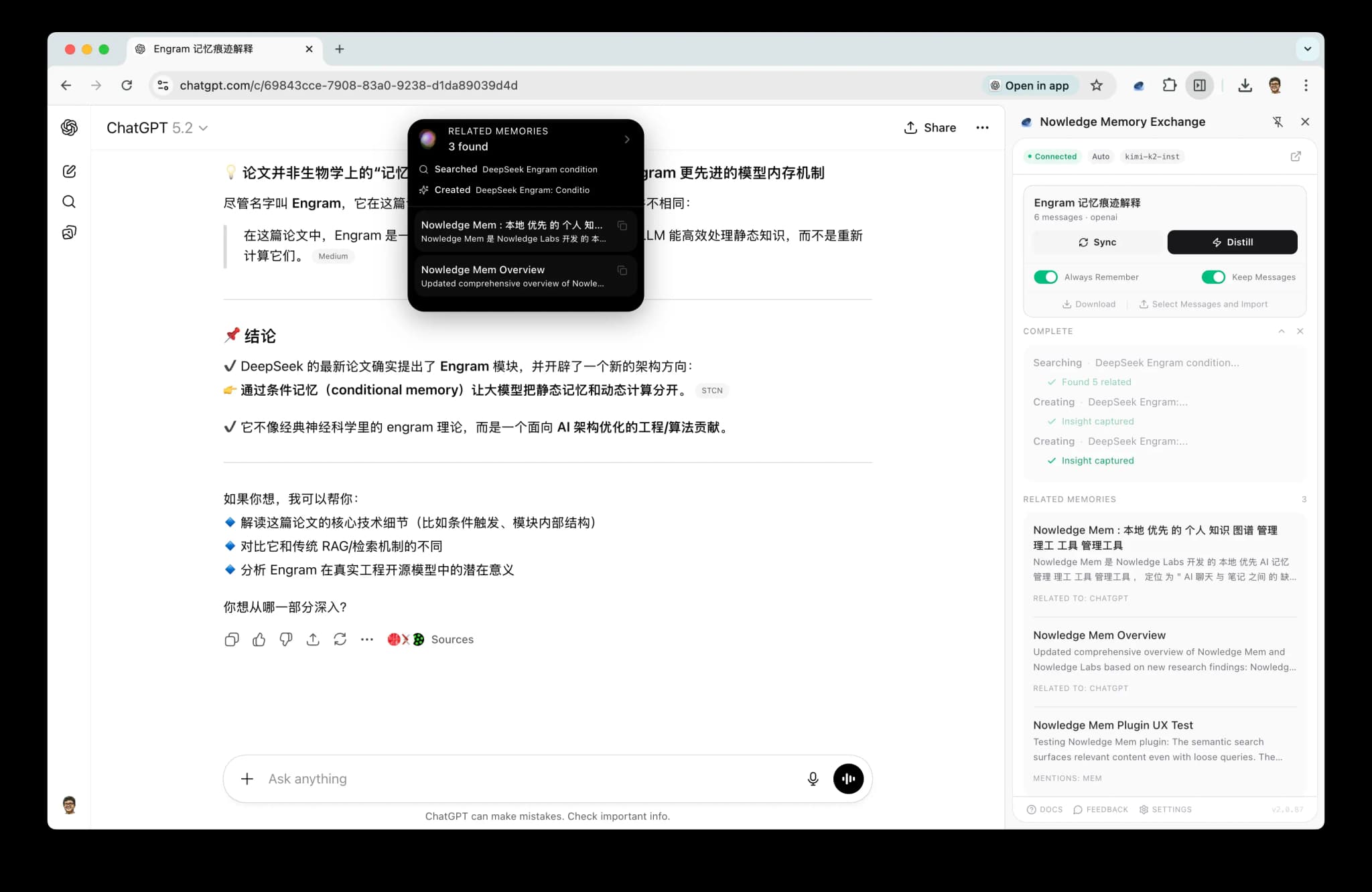
キャプチャの3つの方法
| モード | 仕組み | 使用する場面 |
|---|---|---|
| 自動キャプチャ | 会話を監視し、価値のあるインサイトを自律的に保存します | 設定したらそのまま。何を記憶する価値があるかは拡張機能が判断します |
| 手動蒸留 | 保存したい会話でキャプチャを手動でトリガーします | 会話に重要な内容が含まれていると分かっているとき |
| スレッドバックアップ | 会話全体をスレッドとしてインポートします。増分重複排除付き | 後でアプリ内で蒸留するために会話全体をアーカイブします |
自動キャプチャ
有効にすると、拡張機能はライブ会話を監視し、何かを保存する前に高い基準を適用します。
- 洗練された結論: 決定、計画、確定したアプローチ
- 重要な発見: ブレークスルー、重要な知見
- 知識の探求: 深掘り、リサーチの統合
定型的なQ&Aや一般的なやり取りはスキップされます。 保存する前に、拡張機能はスレッドをより詳しく検査し、Mem内の重複を確認し、冗長なメモリを新規作成する代わりに既存のメモリを更新することができます。
自動キャプチャが何かを保存する場合、まずその会話がMem内の正規スレッドとしてバックアップされていることを確認します。 これにより、メモリはそれが由来する実際の会話への信頼できるリンクを保ちます。
手動蒸留
手動蒸留は、会話が重要だと分かっていて、Memに慎重な処理をしてほしい瞬間のためのものです。
スレッド全体を1つの手早い要約に圧縮する代わりに、拡張機能は今や次のことを行います。
- ライブ会話を選択的に読み取る
- 動機、制約、決定、再利用可能なコンテキストを探す
- Memにすでにあるものを確認する
- それがより良い結果である場合、1つの会話から複数のメモリを作成または更新できる
これにより、手動蒸留は、長時間の作業セッション、設計の議論、デバッグスレッド、そして最も再利用可能な部分が最後の回答ではなく途中にある会話にとって、はるかに優れたものになります。
LLM が必要
自動キャプチャには、設定済みのLLMプロバイダーが必要です。 SidePanelを開き、Settingsに移動してAPIキーを追加してください。 対応プロバイダー: OpenAI、Anthropic、Google、xAI、OpenRouter、Ollama、およびOpenAI互換エンドポイント。
スレッドバックアップ
会話全体をスレッドとしてインポートします。 以降のバックアップは新しいメッセージのみをキャプチャします (増分同期)。 完全なアーカイブが必要なときは、いつでもスレッドを明示的にバックアップできます。
また拡張機能は、ブラウザ由来の新しいメモリを書き込むときに正規スレッドを自動的にバックアップするため、それらのメモリは、すべての会話を手動でバックアップする必要なく、強力な来歴を保ちます。
ローカルのコーディングアシスタントについては、Nowledge Memはネイティブコネクタによるキャプチャに加えて、Claude Code、Cursor、Codex、OpenCodeの古いローカルセッション向けのAI Conversation Discoveryもサポートしています。 詳細はThreadsを参照してください。
対応プラットフォーム
拡張機能は、以下の対応するWeb AIチャットプラットフォームで動作します。
| プラットフォーム | サイト |
|---|---|
| ChatGPT | openai.com, chatgpt.com |
| Claude | claude.ai |
| Gemini | gemini.google.com |
| NotebookLM | notebooklm.google.com |
| Microsoft Copilot | copilot.microsoft.com |
| Perplexity | perplexity.ai |
| DeepSeek | chat.deepseek.com |
| Kimi | kimi.moonshot.cn |
| Qwen | qwen.ai, tongyi.aliyun.com |
| POE | poe.com |
| Manus | manus.im |
| Grok | grok.com, grok.x.ai, x.ai |
| Open WebUI | localhost, private IPs |
| ChatGLM | chatglm.cn |
| MiniMax | agent.minimaxi.com |
ChatGPT に Mem から読み取らせたいですか?
ブラウザ拡張機能はChatGPTからMemへキャプチャします。 ChatGPT自体に会話中にMemを検索させたい場合は、ChatGPT Web and Desktopを使用し、OAuth経由でRemote MCPを接続してください。
未対応のサイトですか?
LLMを設定済みの有料ユーザーは、任意のAIチャットサイト向けのハンドラーを自動生成できます。 そのサイトに移動し、SidePanelを開き、Generate handlerをクリックしてください。 拡張機能がページ構造を分析し、カスタムハンドラーを自動的に作成します。
拡張機能を接続してどこからでもMemにアクセス
デスクトップアプリのSettings → Access Anywhereを通じてMem APIが公開されている場合:
- 対応するAIチャットページを開き、拡張機能のSidePanelを開きます
- Settingsをクリックします
- このブラウザプロファイルを常に1つの名前付きレーンに固定したい場合にのみ、Fixed Spaceを設定します。
空のままにすると
Defaultのままになります。 - Access Mem Anywhereで次を貼り付けます:
export NMEM_API_URL="https://<your-url>"export NMEM_API_KEY="nmem_..."
- Fill URL + keyをクリックします
- Saveをクリックし、次にTest connectionをクリックします
スペース
ブラウザ拡張機能は固定レーンのサーフェスです。
- このブラウザプロファイルがDefaultを使い続けるべき場合は、Fixed Spaceを空のままにします
- このブラウザプロファイルが常に1つのレーン (たとえば
Research Agent) に属する場合は、名前付きスペースを1つ設定します - 拡張機能がWebページ自体からエージェントごとのルーティングを推測することは期待しないでください
固定スペースを設定すると、拡張機能はメモリ検索、メモリ書き込み、スレッド読み取り、ソース読み取り、およびワーキングメモリ読み取りを同じレーンに保ちます。
完全なガイド (Quick linkおよびCloudflareアカウントモード): Access Mem Anywhere。
ダウンロード
拡張機能は、アーカイブや共有のために、任意の会話スレッドを.mdファイルとしてダウンロードすることもサポートしています。
次のステップ
- Memories: 拡張機能がキャプチャするもの。 知識の作成、検索、整理
- Threads: スレッドバックアップと蒸留のワークフロー
- Access Mem Anywhere: 拡張機能をリモートのMemインスタンスに接続する